
blog · Artikel auf Englisch
Snotra 1.31 to 1.32: comments that live inside the PDF and the Markdown file
Snotra 1.32 lets you select text in a PDF or a Markdown file and comment on it. The comment is written into the file itself, so Acrobat, Git and the agent all see it. On the way there, 1.31.1 took back a card I had added in 1.30 and fixed a Linux AppImage that had not started since October 2.
Snotra 1.32.0 went out this afternoon, and its main feature did not exist this morning. The issue for comments in PDFs was opened at 10:16 UTC, the one for Markdown at 12:16, the one that gives both the same author name at 13:31. All three were closed before the release at 14:16. Two smaller releases came before it, 1.31.0 on November 6 and 1.31.1 on November 12, and one of them reverses a decision from the 1.30 article.
Comments in a PDF
Since 1.28.1 a click on a highlight in the PDF preview showed the comment behind it. Writing one was impossible, and not because a button was missing. The preview drew every page onto a canvas, so there was no text to select in the first place.
1.32 lays the text layer of pdf.js over the canvas: transparent text, no links, no form fields, nothing in the PDF that can act. Text can now be selected and copied. A selection gets a small Comment button, or you press Cmd+Alt+M (Ctrl+Alt+M on Windows and Linux), type, and save with Cmd+Enter.
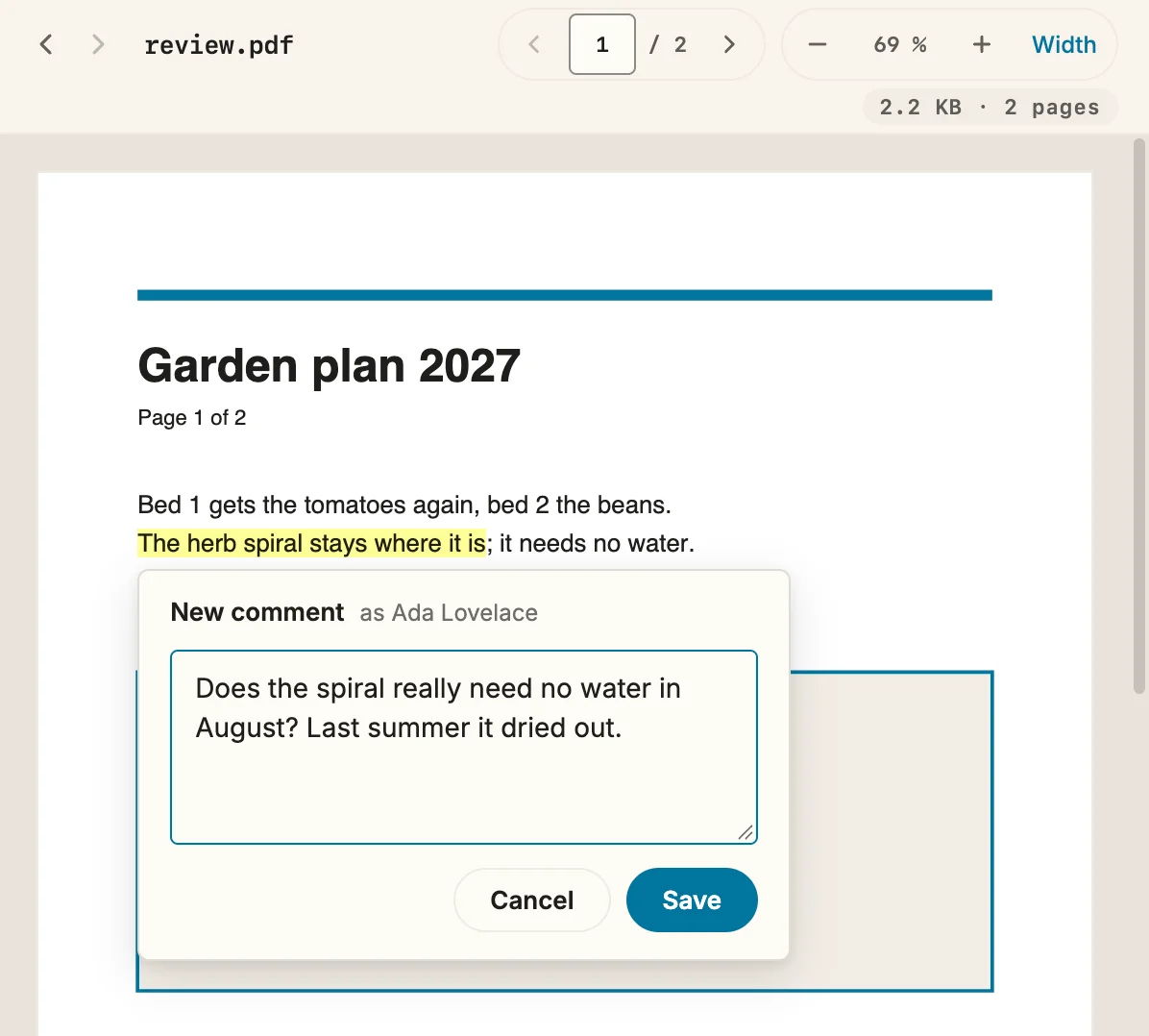
The comment goes into the PDF as an ordinary highlight annotation with text, author and date. Acrobat and macOS Preview show it as if it had been made there. Keeping comments in a file next to the PDF would have been simpler, and I dropped that option first. The PDFs I comment on are the ones I send back to someone, and a comment only Snotra can see does not reach them.
The issue planned to write the annotation with pdf-lib. While building it, it turned out that pdf.js 6, which Snotra already ships, can write a new highlight itself, as an incremental update. The original file stays byte for byte at the start of the new one, and the comment is appended after it. That meant no new dependency, and pdf-lib has not had a release since 2021. It also means nothing in the document can get lost on the way.
The main process holds the renderer to exactly that. It writes the new bytes only if the file on disk is, right now, their beginning. If a sync client saved the PDF while you were typing, nothing is overwritten. The view reloads, your text stays in the box, and you check whether the yellow passage is still the right one.
Signed PDFs take no comments yet, although the incremental save would leave the signature valid. A certified PDF can forbid annotations, and I want to look at that on its own. Password-protected PDFs are left out as well, and a scan has no text to select.
Comments in a Markdown file
For a PDF the storage was settled by the format. Markdown has no comment of its own, so the issue weighed four places: CriticMarkup in the file, an HTML comment in the file, a sidecar file next to it, or Snotra’s own app data. I picked CriticMarkup. A comment looks like this in the source:
Lettuce stays in {==the north bed==}{>>Ada Lovelace, 2026-11-14: Only five hours of sun there.<<}, where it is shaded at noon.It is a plain-text convention that already existed, and it travels with the file through Git, a synced folder or an e-mail. More important to me, the agent reads it the moment it reads the file. Work through the comments in concept.md needs no new tool. One sentence in the tool prompt explains the markup, and once the agent has addressed a comment it removes it, highlight and note together, and leaves the revised text. The file keeps no “resolved” state. That history is in Git.
The cost is that GitHub and other renderers show the braces as text. For a document that is still being reviewed I accept that, since the comments are meant to disappear once they are worked in.
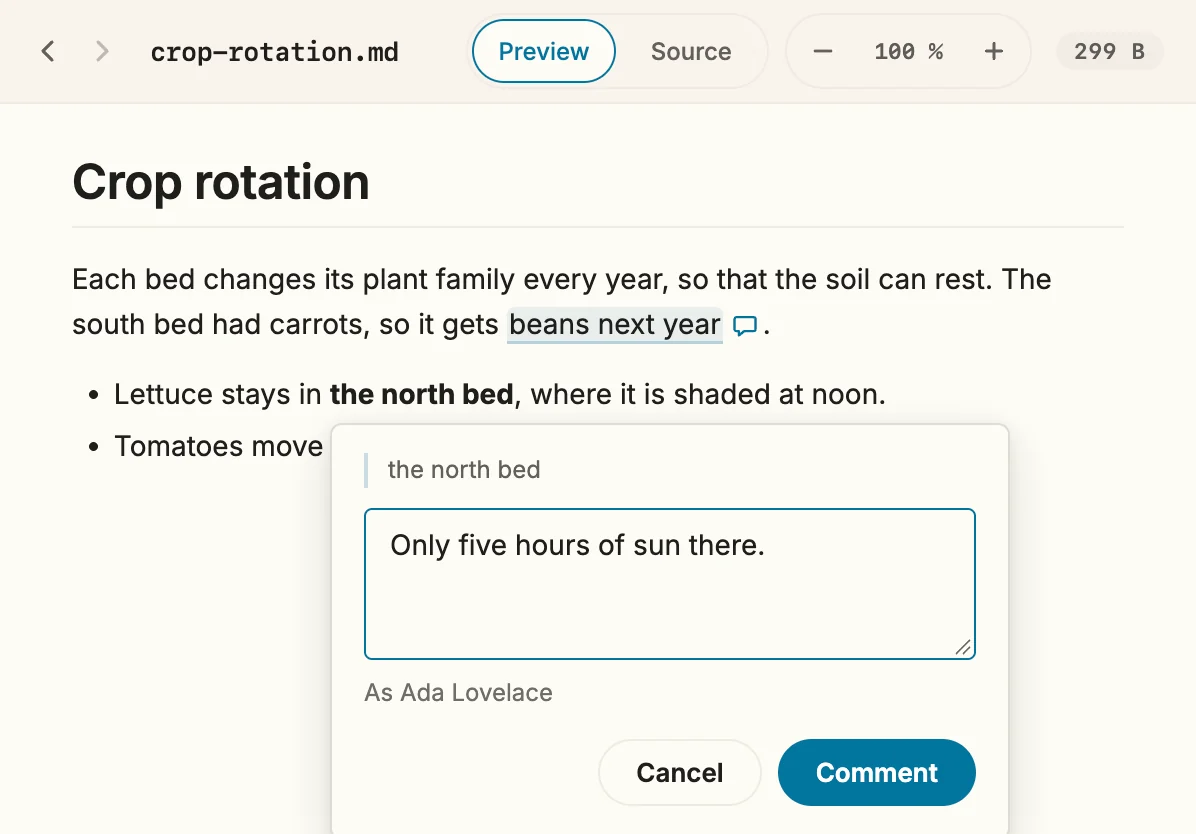
The hard part was finding the place in the file. The rendered preview carries no source positions, so a selection in it does not say where in the Markdown it came from. Each rendered block now carries the range of its source. Inside a block, a tolerant pattern finds the selected words across bold, links and escapes, and a rendered probe checks that the highlight covers exactly what you selected. Where Snotra cannot be sure, it says so and writes nothing. That covers code, front matter, a selection across two paragraphs, and a passage that occurs twice in the same block.
Commenting is off while a chat answer is running, for the same reason editing is, so the agent and you never write the same file at once.
One name on every comment
The PDF version, merged first, signed with the full name of the computer account, id -F on macOS. The Markdown version, merged 47 minutes later, signed with a new field in the settings, and with nothing when the field was empty. The same person could have ended up as Konrad Krafft in a PDF and as nobody in the Markdown file next to it. A third issue fixed that before either version was released.
Settings › General › Name for comments now signs both. While it is empty, Snotra uses the account name and shows it in the field as a placeholder, so you see what will be written. I kept the field because the account name is often not the one you want on a shared document, a work account or a short Windows login.
A card from 1.30 I took back
In 1.30 I wrote that every write to a knowledge file asks, in every mode, Auto included. On November 7 a model refused to change a skill in the open folder. It answered, in German, that Snotra treats existing skill folders as read-only, in the workspace too, and that I could edit the file myself in an editor.
It was right about what Snotra had told it, and Snotra was wrong. The read-only rule came from skills in ~/.snotra/skills, which every folder shares and an update can replace. A skill in .agents/skills/ belongs to the folder, and in Auto I had already handed the folder to the model. Fixing that one message led straight to the card from 1.30. It guarded four paths inside a folder that was otherwise open, and I do not think a card can carry that much weight.
Since 1.31.1, Auto writes the open folder’s AGENTS.md, .agents/memory.md, rules and skills without a card. The answer names every knowledge file that was created or changed, and Settings › Knowledge keeps Undo for each change. Your own memory, rules and skills outside the folder still ask in every mode, and so does every change in a chat that carries an injection warning. Smart and Always ask did not change.
What I accept with this is written into docs/security/security-concept.md. An injected instruction that did not trip the warning can now settle into a file of the folder and be read by every later chat in it. The journal shows it, but only if you look.
Allowed programs can write into a file
A program allowance lets a command line tool run without a card. Until 1.32 it applied only to a simple command, and a > counted as “more than the program”. That hurt one of my own skills, which collects five sources into a morning brief. About 500 KB of JSON had to pass through the conversation and ran into the history budget of 200,000 characters. Outputs were cut on arrival, the files never got written, and the run kept retrying for minutes. Calling the tool with > file dropped the allowance, and outside it the Go program failed with x509: OSStatus -26276.
Since 1.32 an allowance still applies when the command ends in output redirections such as > result.json, >>, 2> or 2>&1. Every target has to be inside the open folder or /dev/null, and a target containing $, a backtick, ~ or a glob character does not count, so the shell writes exactly the file the card names. An allowance that hands over credentials does not apply with a file target, because the file would keep what the masking of the output hides.
The AppImage did not start for six weeks
Every Linux AppImage published from 1.13.3 on October 2 up to 1.31.0 closed right after it was opened, with this:
Squashfs image uses xz compression, this version supports only zlib, zstd.The packaging had compressed with xz since one of the first issues. In 1.13.3 I pinned a newer AppImage runtime, and that runtime reads only zlib and zstd. Nothing in the release pipeline ever started the AppImage, so nothing noticed. The .deb package and the archive were fine the whole time.
Since 1.31.1 the release starts every packaged build once, on its own runner, before anything is published, and the very first run of that check found the AppImage. It is now compressed with zstd, and a test fails if the compressor and the pinned runtime drift apart again. If you use the AppImage, download it again from the 1.31.1 release or a newer one.
Smaller things
1.31.0 put a pencil button at the right of the chat header that opens a new chat, also while the history is hidden. Questions, answers and the input field now use your system’s font at 16 px, and links and inline code stand out less. 1.31.1 updated Electron to 45.2.3 and the network component Snotra uses for providers and web pages to its latest security release.
Getting it
Snotra checks for a newer version at start-up, unless you switched that off. Otherwise, download it for macOS, Windows or Linux. The release notes are on GitHub for 1.31.0, 1.31.1 and 1.32.0, and the manual has Comment on a Markdown file.
Which document would you hand the agent with your comments already in it? Tell me in the Discussions.